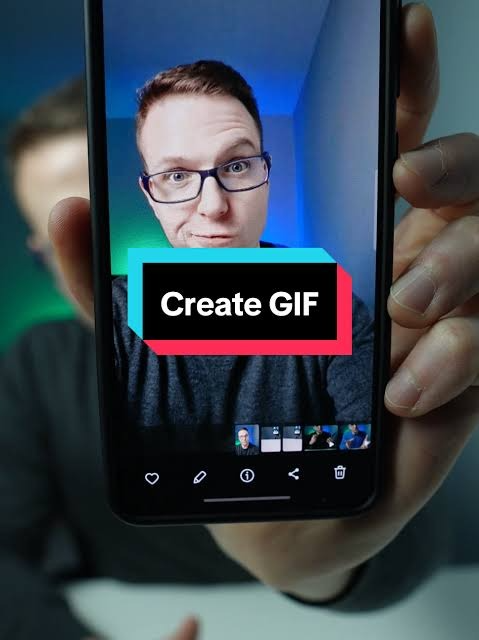
GIFs have become a universal language on the internet. Whether you’re expressing emotions in a group chat, creating engaging social media content, or adding personality to a marketing campaign, animated GIFs remain one of the easiest ways to capture attention.
The good news is that creating your own GIF no longer requires advanced design skills or expensive software. Thanks to modern editing tools and artificial intelligence (AI), anyone can turn videos, photos, or screen recordings into high-quality GIFs within minutes.
In this guide, you’ll learn what GIFs are, why they’re still popular, different ways to create them, and practical tips for producing animations that look professional and load quickly.
What Is a GIF?
A GIF (Graphics Interchange Format) is an image format that supports animation by displaying multiple frames in sequence. Unlike standard image files such as JPG or PNG, GIFs create the appearance of motion without requiring users to play a video.
GIFs are commonly used for:
- Social media posts
- Reaction images
- Tutorials
- Product demonstrations
- Memes
- Marketing campaigns
- Website illustrations
- Messaging apps
Because they loop automatically and are easy to share, GIFs continue to be one of the internet’s favorite visual formats.
Why GIFs Remain Popular
Despite the rise of short-form video platforms, GIFs continue to offer several advantages.
Quick Communication
A short animation often communicates an emotion or idea faster than text.
Small File Sizes
Compared to videos, GIFs are generally easier to share across websites and messaging platforms.
Universal Compatibility
Most browsers, apps, and social media platforms support GIFs without requiring additional software.
Increased Engagement
Animated content naturally attracts attention and often receives higher engagement than static images.
Ways to Create Your Own GIF
There are several methods for creating GIFs depending on your content and available tools.
Convert a Video into a GIF
This is the most popular method.
Simply select a short video clip and convert the desired portion into an animated GIF.
Ideal sources include:
- Smartphone videos
- Screen recordings
- Product demos
- Tutorial clips
- Gameplay footage
Short clips between two and six seconds usually produce the best results.
Turn Photos into Animated GIFs
Multiple still images can also be combined into an animation.
This works well for:
- Step-by-step tutorials
- Product showcases
- Before-and-after comparisons
- Photo slideshows
Many online editors allow users to control the timing between each image.
Record Your Screen
Screen recording is especially useful for educational content.
Examples include:
- Software tutorials
- Website demonstrations
- App walkthroughs
- Technical support guides
Once recorded, the video can be trimmed and exported as a GIF.
AI Makes GIF Creation Easier
Artificial intelligence has dramatically simplified content creation.
Many modern editing tools now use AI to automatically:
- Remove backgrounds
- Improve image quality
- Stabilize footage
- Enhance colors
- Suggest the best clip length
- Optimize file size
- Generate captions
These features reduce editing time while improving overall quality.
Similarly, digital platforms such as TMTCash continue embracing AI-powered technologies to enhance user experiences through smarter interfaces, personalized recommendations, and streamlined navigation. This reflects a broader trend in which artificial intelligence improves both creative tools and online services.
Keep Your GIF Short
One of the biggest mistakes beginners make is creating GIFs that are too long.
Shorter animations:
- Load faster
- Hold attention longer
- Produce smaller file sizes
- Work better on mobile devices
Aim for approximately:
- 2–6 seconds
- Continuous looping
- Clear visual focus
Choose the Right Resolution
Higher resolution improves image quality but increases file size.
For most online uses:
- 480 pixels wide works well.
- 720 pixels offers better clarity.
- Larger sizes should only be used when necessary.
Balance quality with loading speed.
Reduce File Size
Optimized GIFs improve user experience and website performance.
Ways to reduce file size include:
- Removing unnecessary frames
- Lowering frame rate slightly
- Cropping unused areas
- Reducing image dimensions
- Limiting color palettes
Smaller files load faster without sacrificing too much visual quality.
Add Text Carefully
Adding text can make GIFs more informative.
Popular uses include:
- Captions
- Instructions
- Product highlights
- Humor
- Quotes
Use readable fonts and avoid covering important visual elements.
Create Smooth Loops
Good GIFs loop naturally.
To achieve smooth transitions:
- End where the animation begins.
- Avoid sudden cuts.
- Keep movement consistent.
- Use seamless transitions.
A well-looped GIF feels continuous and professional.
Common Uses for GIFs
GIFs have become valuable across many industries.
Social Media
Creators use GIFs to:
- Increase engagement
- Highlight announcements
- Showcase products
- Entertain audiences
Marketing
Businesses create GIFs for:
- Email campaigns
- Product promotions
- Website banners
- Advertising
Education
Teachers and trainers use GIFs to demonstrate:
- Software features
- Scientific concepts
- Classroom instructions
- Technical procedures
Customer Support
Animated tutorials often explain software processes more effectively than written instructions.
Best Practices for Creating Better GIFs
To maximize quality:
- Focus on one idea.
- Use clear visuals.
- Keep animations short.
- Optimize file size.
- Avoid excessive text.
- Test on mobile devices.
- Export in appropriate dimensions.
Following these practices helps ensure your GIF performs well across different platforms.
Accessibility Tips
Not everyone experiences animations in the same way.
When creating GIFs:
- Avoid excessive flashing.
- Keep motion comfortable.
- Include descriptive captions when appropriate.
- Provide alternative text if possible.
Accessible content benefits a wider audience.
AI and the Future of GIF Creation
Artificial intelligence continues transforming digital creativity.
Future AI-powered GIF tools may automatically:
- Generate animations from text prompts
- Suggest engaging clips
- Remove unwanted objects
- Translate captions into multiple languages
- Personalize GIF recommendations
- Improve animation quality automatically
Beyond creative applications, AI is also improving many online services. Platforms like TMTCash Casino increasingly use intelligent technologies to personalize user interactions, strengthen security, optimize navigation, and deliver smoother digital experiences. These innovations demonstrate how AI is becoming a core part of modern online platforms across many industries.
Common Mistakes to Avoid
Avoid these frequent GIF creation errors:
Using Long Clips
Shorter GIFs are more engaging.
Poor Image Quality
Start with high-quality source material whenever possible.
Large File Sizes
Oversized GIFs slow down websites and mobile browsing.
Too Much Movement
Simple animations are easier to follow.
Poor Cropping
Keep the main subject centered and clearly visible.
Frequently Asked Questions
How long should a GIF be?
Most effective GIFs are between two and six seconds long. Short animations load faster and are easier to share.
Can I create GIFs from videos?
Yes. Many online editors and mobile apps allow you to trim a video and export a selected section as a GIF.
Do I need professional software?
No. Many beginner-friendly tools make it possible to create high-quality GIFs without advanced editing skills.
Why is my GIF file so large?
Large dimensions, long animations, and too many colors can increase file size. Reducing resolution, trimming unnecessary frames, and optimizing colors can help.
Are GIFs still relevant in 2026?
Absolutely. GIFs remain widely used across social media, messaging apps, websites, customer support, education, and digital marketing because they communicate ideas quickly and are easy to share.
Final Thoughts
Creating your own GIFs has never been easier. Whether you’re converting a short video, combining photos, or recording your screen, modern editing tools and AI-powered features make the process fast and accessible for beginners and professionals alike.
By keeping animations concise, optimizing file size, choosing the right resolution, and focusing on clear communication, you can produce engaging GIFs that work effectively across websites, social media platforms, presentations, and messaging apps.
As AI continues to enhance creative workflows, the future of GIF creation will become even more intuitive, allowing anyone to produce high-quality animations in just a few minutes. Whether you’re creating content for fun, education, or business, mastering GIF creation is a valuable digital skill that can help your visual content stand out in an increasingly competitive online world.